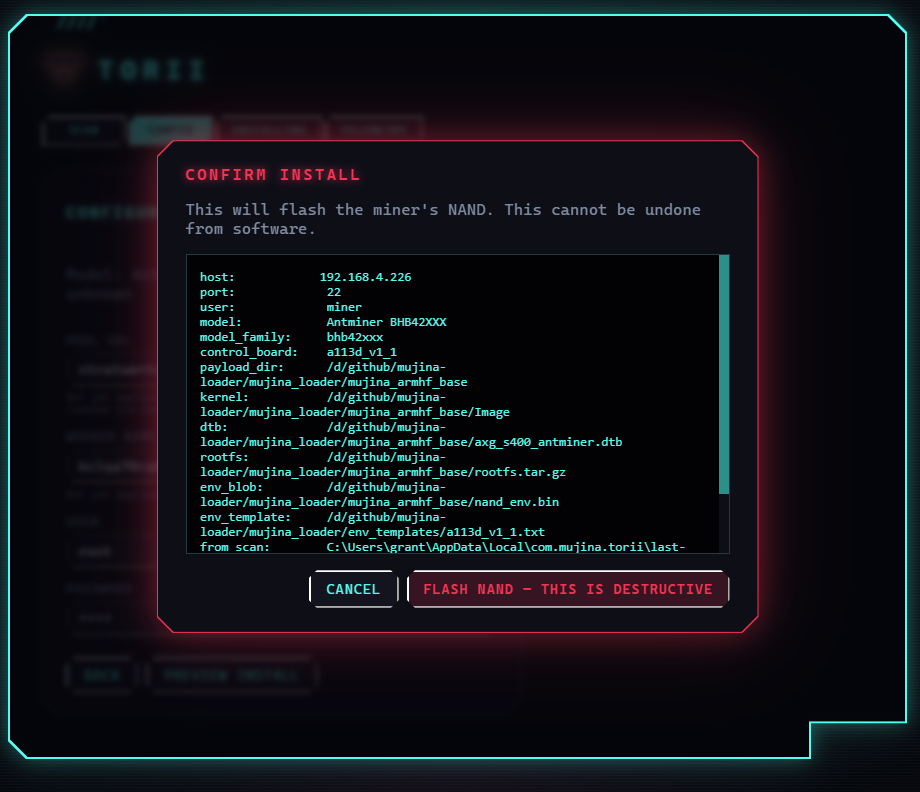
Hi! I just got Mujina onto an S19XP, I’ll share my thoughts, but looking forward to seeing what everyone else has figured out as well!
First, my setup:
S19XP running LuxOS on an Amlogic control board, single hashboard with an AC Infinity fan, APW12 modded to accept 120V.
Manually monitoring hashboard bus voltage with multimeter and wall power draw with a power meter.
LuxOS was set to 110MHz to maintain a low stable ~10TH and 290W power draw.
SAFETY NOTE: For actually loading the firmware and testing it, I specifically told my LLM not do run any actual code on the miner unless I was physically monitoring the machine for safety reasons. I didn’t want it mucking about automatically when I wasn’t standing there to unplug if things got out of hand.
Next, Tyler’s questions:
- Is SSH required to attempt?
I’d say technically no, but practically yes. Doing this with the help of an LLM makes things way faster and easier. Ideally your agent can SSH in directly, rather than relying on you to transfer a USB stick or SD Card (think minutes instead of hours/days to get something tested and working). I haven’t tested the USB connection, to see if an LLM could communicate with the board live over USB, however for me Codex decided to disable USB on the initial attempt just to simplify things, so I imagine you may run into more complexity trying to do it over USB.
- Is aftermarket firmware required to solve secure boot?
Great question! I’m not sure, but very likely. My LLM basically SSH’d in, stopped the LuxOS process, and started Mujina. So in my case LuxOS was handling the secure boot exploit.
- Tips for coding agent help?
Agent permissions depend on model intelligence, personal risk tolerance, workflow, and the degree to which you trust the repositories that you are working with. I use full-auto because I’m using a fronteir model (GPT 5.5) on trusted repositories (my own or 256 Foundation repos), but most of all because my personal workflow doesn’t allow me to sit in front of a screen and keep approving actions. To get anything done I need to be able to write a prompt and then walk away.
My agent can’t do sudo actions, and doesn’t have the Github integration setup, so I’m manually doing commits/pushes when I’m happy with it.
For some frequently repeated sudo actions (eg. restarting a system service), I make a script to do that action and then manually set permissions on that script to allow passwordless sudo. Then the agent can run that script when it needs that specific, highly limited and controlled sudo action.
- Prompting tips:
Don’t unecessarily constrain the agent with long and over-specified prompts. It’s ok to keep things vague sometimes. The agents usually figure it out, and sometimes come up with better solutions than what I had in mind.
For debugging: “check last night’s logs and tell me if you see anything wierd.”
”Write some more detailed instrumentation so we run some careful tests / pinpoint this bug / verify correct operation.”
- How to find out if SSH is enabled?
Honestly just ask your agent: “I have X miner located on this LAN at 192.168.1.X, try to SSH in.”
To try it yourself, from linux it should just be:
ssh root@192.168.1.X
(password is probably “root”)
To enable ssh, that’s likely done through the firmware in the web UI.
My experience porting Mujina to the S19XP:
My first prompt was this:
In this repository we have the latest main branch of the Mujina open source bitcoin mining firmware. My goal is to make whatever modifications
are needed to make this run on an S19XP Amlogic control board. I have a test machine with this control board and a single hashboard setup in my
garage and accessible on 192.168.1.200, currently running LuxOS. One dev managed to get this working on an S19 jPro with an Amlogic control
board, so we should use his work as a starting point clearly: GitHub - skot/mujina-loader · GitHub . I also cloned this repo to this machine
in the Github directory. Then we’ll have to incorporate any necessary protocol changes for driving the XP chips, as opposed to the jPro chips.
The Bitaxe project may be useful here, as esp-miner firmware can drive both types of chips. That repo is cloned on this machine in the parent
directory. Do some thorough research and make a detailed plan for how we can accomplish this.
The miner is on a low static fan setting, using an Infinity Cloudline duct fan. The control board does NOT have any
control over the fan speed. Therefore for cooling reasons, we need to keep the hashrate as low as reasonable. It is running stable on LuxOS at
110MHz right now.
Once we get to the point of actually hashing, let’s use this pool for testing: stratum+tcp://pool.256foundation.org:3333
using the following user name: AgentP.Mujina_on_S19XP
IN HINDSIGHT: I should have also given it Skott’s jPro specific Mujina fork, so that I wouldn’t have to rebuild the PSU control logic: GitHub - skot/mujina at amlogic-s19jpro · GitHub
I tweaked the plan it gave a little bit, then had it implement the plan (write all the code and build the images it needs).
For testing, the agent started with a very simple “try to read from the chips” without any hashing, but the PSU had turned off hashboard power when the LuxOS service shut down. Once we figured out the PSU hashboard power and read from the chips we did some hashing, but all the shares being returned were super low difficulty. The agent figured out that on the XP, the chips return the nonce with different endienness than the jPro. Once we fixed that we were getting good shares back.
One closing thought: For really in depth development work, it may be worth investing in better hardware instrumentation, for example WiFI power meters and voltage sensors that the agent can hook into directly. That would give it the ability to get much much more direct feedback on the hardware operation, rather than relying on my eyeballs and later prompting.
Hope this helps!